
Solve linear equations (advanced)
To have MotionGenesis™ write a MATLAB® code to solve the set of algebraic
equations below (which are linear in x and y),
for 0 ≤ t ≤ 4., type
Note: To write C code, use MGSolveLinearEqns.c.
To write Fortran code, use MGSolveLinearEqns.f.
Variable x, y
Eqn[1] = 2*x + 3*y - sin(t)
Eqn[2] = 4*x + 5*y - cos(t)
Output t sec, x meter, y meter
Algebraic(Eqn = 0, x, y) [t = 0, 4, 1] MGSolveLinearEqns.m
2 x + 3 y = sin(t)
4 x + 5 y = cos(t)
4 x + 5 y = cos(t)
One way to run a MATLAB® .m script is to open MATLAB®,
and click the "Browse For Folder" icon as shown below:
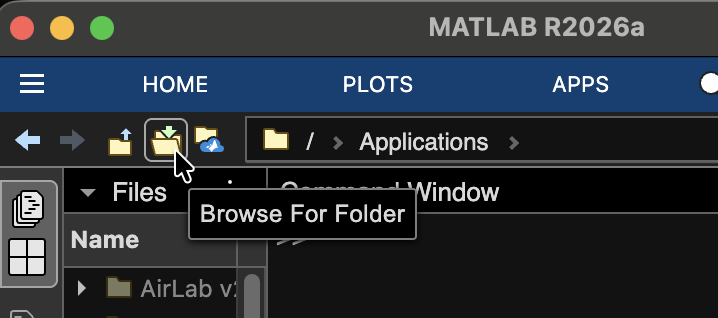 Browse to your MotionGenesis folder, select it (single click), then click OK (or Open).
The MotionGenesis folder name should appear in the textbox.
Browse to your MotionGenesis folder, select it (single click), then click OK (or Open).
The MotionGenesis folder name should appear in the textbox.
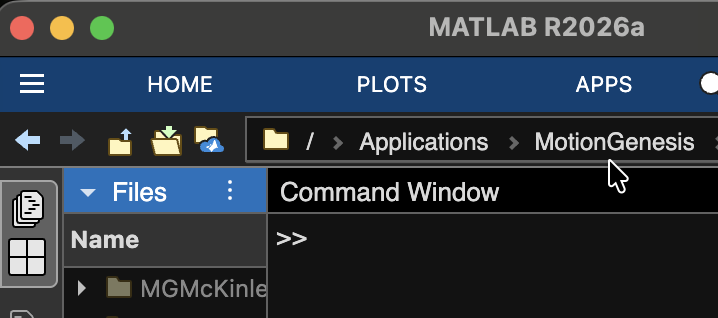
At the MATLAB® prompt >>, type MGSolveLinearEqns to produce:
% FILE: MGSolveLinearEqns.1
%
%   t           x           y
% (sec)      (meter)     (meter)

 0.00E+00   1.500E+00  -1.000E+00
 1.00E+00  -1.293E+00   1.143E+00
 2.00E+00  -2.898E+00   2.235E+00
 3.00E+00  -1.838E+00   1.272E+00
 4.00E+00   9.115E-01  -8.560E-01
Other MotionGenesis™ Get Started exercises
Simpler:
Check out linear equations basics.